
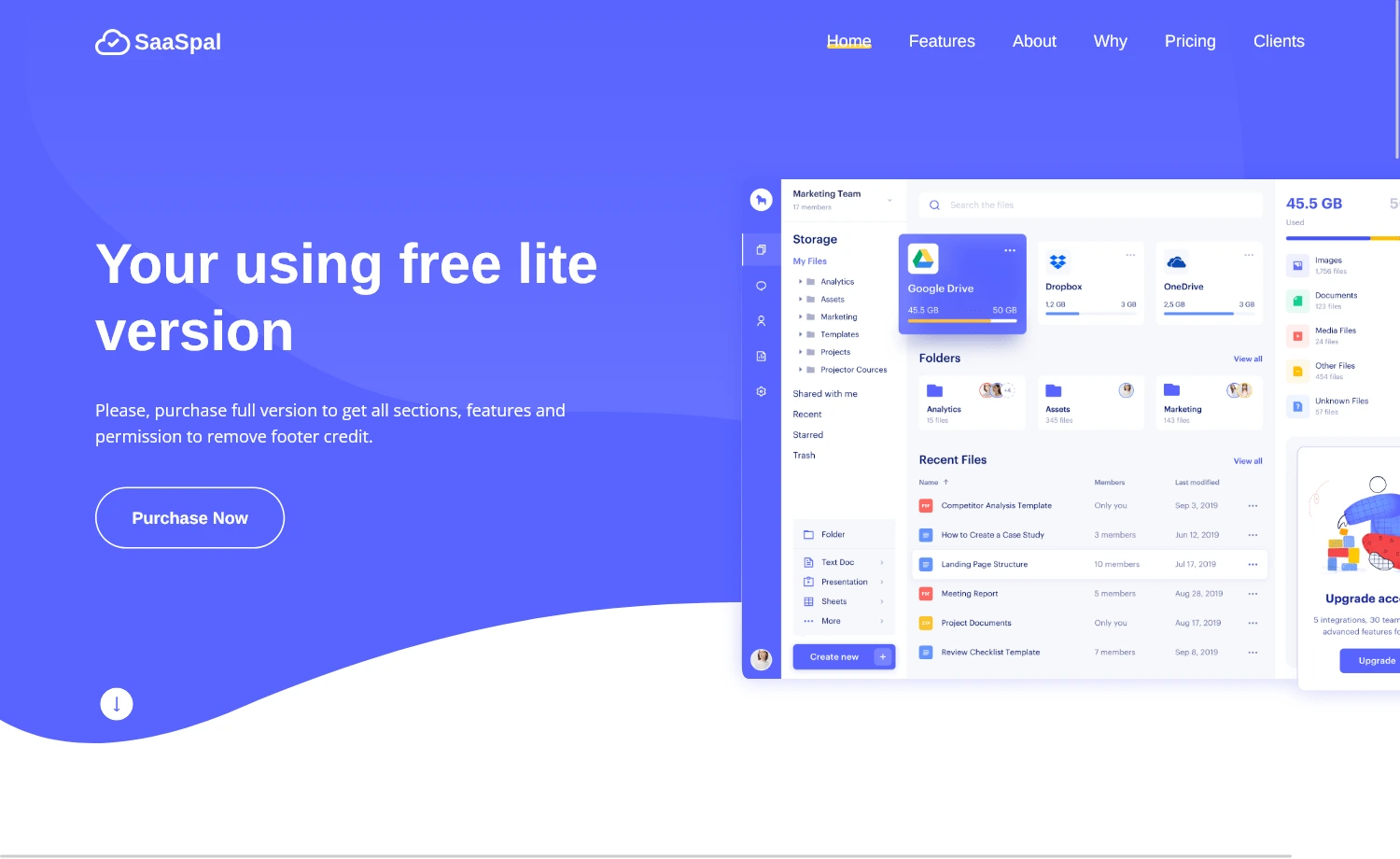
Description
SaaSpal is a website template with an intuitive layout. It is a landing page template that offers an extensive user experience. The multipurpose theme is optimised for page speed, providing faster loading times and reduced bounce rates. It is also a developer-friendly theme with a clean codebase, allowing you to tweak your design goal effortlessly. The meticulously designed theme has fewer cross-browser bugs. So, it runs smoothly across all available browsers without issues. Additionally, the SEO-friendly theme helps get a higher ranking in search results.
Bootstrap HTML5 Landing Page Template
Moreover, SaaSpal is a user-friendly theme, ensuring easy navigation across the page. The theme includes a one-page design, built using Bootstrap 5, HTML5, and CSS3. It features all the necessary UI elements to showcase the work of an organisation. The template has a sticky top navigation bar, a hero header, a back-to-top button, call-to-action buttons, a detailed footer, a newsletter subscription form UI, and more. Furthermore, it provides complete responsiveness regardless of screen sizes without hassle.
Key Features
- Bootstrap 5
- HTML5 & CSS3
- Sticky Top Navigation Bar
- Hero Header
- Call-to-Action Buttons
- Social Media Icons
- On-Hover Effects
- Back-to-Top Button
- Detailed Footer
- Collapsible Burger Menu
- Multipurpose Theme
- One-Page Design
- Clean Codebase
- Fully Responsive
- Mobile-First Design
- Developer-Friendly Theme
- SEO-Friendly
- Page-Speed-Optimized
- Cross-Browser-Compatible
- Newsletter Subscription Form UI
In The Box
- 1 Pre-Built Page
- HTML & CSS
- All Demo Images
- Library & Plugins
- JavaScript Source Files
Library & Plugins
How to Install WordPress Themes
- Begin by downloading the theme.zip file from the source onto your local computer.
- From your WordPress Administration area, head to Appearance > Themes and click Add New
- The Add New theme screen has a new option, Upload Theme
- The theme upload form is now open, click Choose File, select the theme zip file on your computer and click Install Now.
How to install WordPress Themes using FTP
- Launch Filezilla, enter your login details and click Quickconnect.
- The following window contains Remote Site and a root directory (the root directory is your site’s name). Select /rootdirectory/web/content/wp-content/themes.
- In the Local Site window, select the folder containing your saved theme, right click for more options and hit Upload.
- You’ve now successfully uploaded your theme to WordPress. To finalize, log in to your control panel, head to Appearance > Themes and hover your mouse over the new theme. Now click Activate.
- All that’s left is to check out your new theme and see how you like your new site design.
How to install WordPress Plugin Manually
- From your WordPress dashboard, choose Plugins > Add New.
- Click Choose File, locate the plugin .zip file, then click Install Now.
- After the installation is complete, click Activate Plugin.
To add a plugin to your WordPress website via FTP
- Download the desired plugin as a .zip file from either the WordPress directory or a third-party source.
- Extract (or unzip) the plugin file. The unzipped folder will appear with the same name as the .zip file.
- Next, you’ll need to connect to your WordPress website’s server with FTP. To do this, you can use an FTP client that connects to the host server to transfer files.
- Once you open the FTP client, connect to your website with a username and password. You might need to obtain these credentials from your hosting provider.
- In your WordPress file directory, open the wp-content folder, then open the plugins folder.
- Upload the unzipped plugin folder that you downloaded to the plugins folder.
- Return to your WordPress dashboard and select Plugins > Installed Plugins. Find your new plugin and click Activate.








Reviews
There are no reviews yet.