
Description
Helo Key Features Overview:
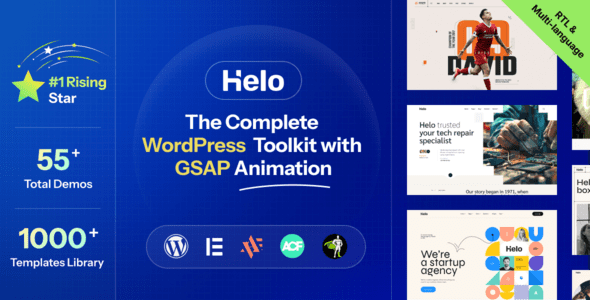
Advanced Features: Helo is packed with a wide range of advanced features to enhance functionality and user experience. Its premium widgets, exclusive builders, and seamless integration with popular plugins make it both powerful and flexible. The drag-and-drop builder facilitates creating stunning layouts with ease.
Responsive Design: It ensures an unimpeded viewing experience on all devices, such as desktop, tablet, smartphone, and laptop. As it looks and functions properly on all browsers, you will experience optimal performance and usability. Its mobile-first approach is highly commendable.
Extensive Templates and Layouts: Helo is equipped with an extensive library of pre-built, ready-to-use, and customizable templates and layouts. All theses are crafted to meet the modern design standards and best practices. You can quickly build and customize your website as per your preference by utilizing them.
Smooth Animations: Its smooth animations can play a crucial role in enhancing the user experience and user engagement. As it works with GSAP animations, you can effortlessly make a website that guides attention and contributes to a polished website. When integrated seamlessly with other platforms, it can create an ultra-functional and versatile environment.
Customization and Flexibility: The agency and portfolio theme is customizable with Elementor. Therefore, you can personalize your website to reflect your brand identity with the drag-and-drop functionality. Its extensive customizable options allow you to adjust layouts, colors, fonts, and other elements to create a professional, unique look.
Unmatched Speed and Performance: This agency, organization, and business consultancy WordPress themes never compromise on speed and performance. You will experience fast loading times and an enjoyable user experience all along. Its clean and efficient code also contributes a lot to overall performance and speed.
SEO-Optimized: Helo is built with the best SEO practices in mind. It helps you to achieve higher visibility in search engine result pages, thanks to the mobile-friendly design, clean code structure, lightfastness, and so on. It’s compatible with all the required SEO plugins.
Support and Documentation: You can enjoy peace of mind with the comprehensive support and documentation of Helo. The detailed guides and tutorials will help you how to get started. Any serious issue you may encounter over time, the dedicated support team is always ready to assist you.
Helo – Demos:
- Fashion Designer
- Digital Agency
- Writer
- Motivational Speaker
- Architect
- Doctor
- Social Influencer
- Electrician
- Product Designer
- Customer Services
- Modern Interior
- Modern Architecture
- Renovation
- Business Consultant
- Consultant Marketing
- Design Studio
- Creative Agency
- Startup Agency
- Barber
- Athlete
- Dentist
- Law Firm
- Hospital
- Gym
- Corporate
- StartUp
- Marketing Automation
- Booking Software
- AI Startup
- Hospital Two
- Computer – Phone
- Solar System
- Branding Agency
- Cleaning Service
- Car Repairing Service
- Laundry
- Charity
- Charity 2
- Consultant Financial
- Human Resource
- Classic Construction
- Modern Construction
- Modern Construction 2
- Corporate Consultant
- Fashion Agency
- Chef
- Artist
- Interior Design
- Dancer
- Yoga Trainer
- CV/Resume
Key Features for Helo::
- 55+ Unique Demos Including Dark and Light Versions
- A Wide Collection of Responsive Inner Pages
- 1000+ Easy-to-Customize Sections
- Advanced and Smooth GSAP Animations
- Next Generation Animation Builder
- Next Generation Theme Option
- Modern, Inspirational, and Sleek Design
- Easy Integration with Popular Social Media Platforms
- Advanced Customization Options for the Homepage
- Multiple Customization Options
- Multiple Filtering Capabilities
- Advanced and Smooth Scrolling Effect
- Advanced Blog Functionality
- Flexible and Ready-to-use Layouts
- Optimized for all Devices and Browsers
- Built-in Contact Form and Google Maps Integration
- Customizable Typography Options
- Different Navigations
- Sticky Navigation
- Advanced Typography
- User-Friendly Interface
- Mobile-Friendly Mobile Menu
- Pixel Perfect Design
- Modern Design
- Cross Browser Compatible
- Unique Effects and Functionality
- SEO Friendly
- Easy to Customize
- Lifetime FREE Updates
- Detailed Documentation
- Dedicated Support
It can be the ideal option for designing a professional website with the combination of vibrant animations, pixel-perfect design, and advanced functionality. What are you waiting for? Choose Helo right away and start building your websites.
How to Install WordPress Themes
- Begin by downloading the theme.zip file from the source onto your local computer.
- From your WordPress Administration area, head to Appearance > Themes and click Add New
- The Add New theme screen has a new option, Upload Theme
- The theme upload form is now open, click Choose File, select the theme zip file on your computer and click Install Now.
How to install WordPress Themes using FTP
- Launch Filezilla, enter your login details and click Quickconnect.
- The following window contains Remote Site and a root directory (the root directory is your site’s name). Select /rootdirectory/web/content/wp-content/themes.
- In the Local Site window, select the folder containing your saved theme, right click for more options and hit Upload.
- You’ve now successfully uploaded your theme to WordPress. To finalize, log in to your control panel, head to Appearance > Themes and hover your mouse over the new theme. Now click Activate.
- All that’s left is to check out your new theme and see how you like your new site design.
How to install WordPress Plugin Manually
- From your WordPress dashboard, choose Plugins > Add New.
- Click Choose File, locate the plugin .zip file, then click Install Now.
- After the installation is complete, click Activate Plugin.
To add a plugin to your WordPress website via FTP
- Download the desired plugin as a .zip file from either the WordPress directory or a third-party source.
- Extract (or unzip) the plugin file. The unzipped folder will appear with the same name as the .zip file.
- Next, you’ll need to connect to your WordPress website’s server with FTP. To do this, you can use an FTP client that connects to the host server to transfer files.
- Once you open the FTP client, connect to your website with a username and password. You might need to obtain these credentials from your hosting provider.
- In your WordPress file directory, open the wp-content folder, then open the plugins folder.
- Upload the unzipped plugin folder that you downloaded to the plugins folder.
- Return to your WordPress dashboard and select Plugins > Installed Plugins. Find your new plugin and click Activate.







Reviews
There are no reviews yet.